
Every UppSales feature for sales reps and sales agencies
Every feature solves a concrete problem. No fluff: only the tools you actually need to take orders in the field without wasting time.
Field sales reps lose on average 45–60 minutes a day retyping orders, hunting product codes and fixing mistakes that should never have happened. An average order in UppSales takes less than 3 minutes — from opening the catalog to sending the confirmation.
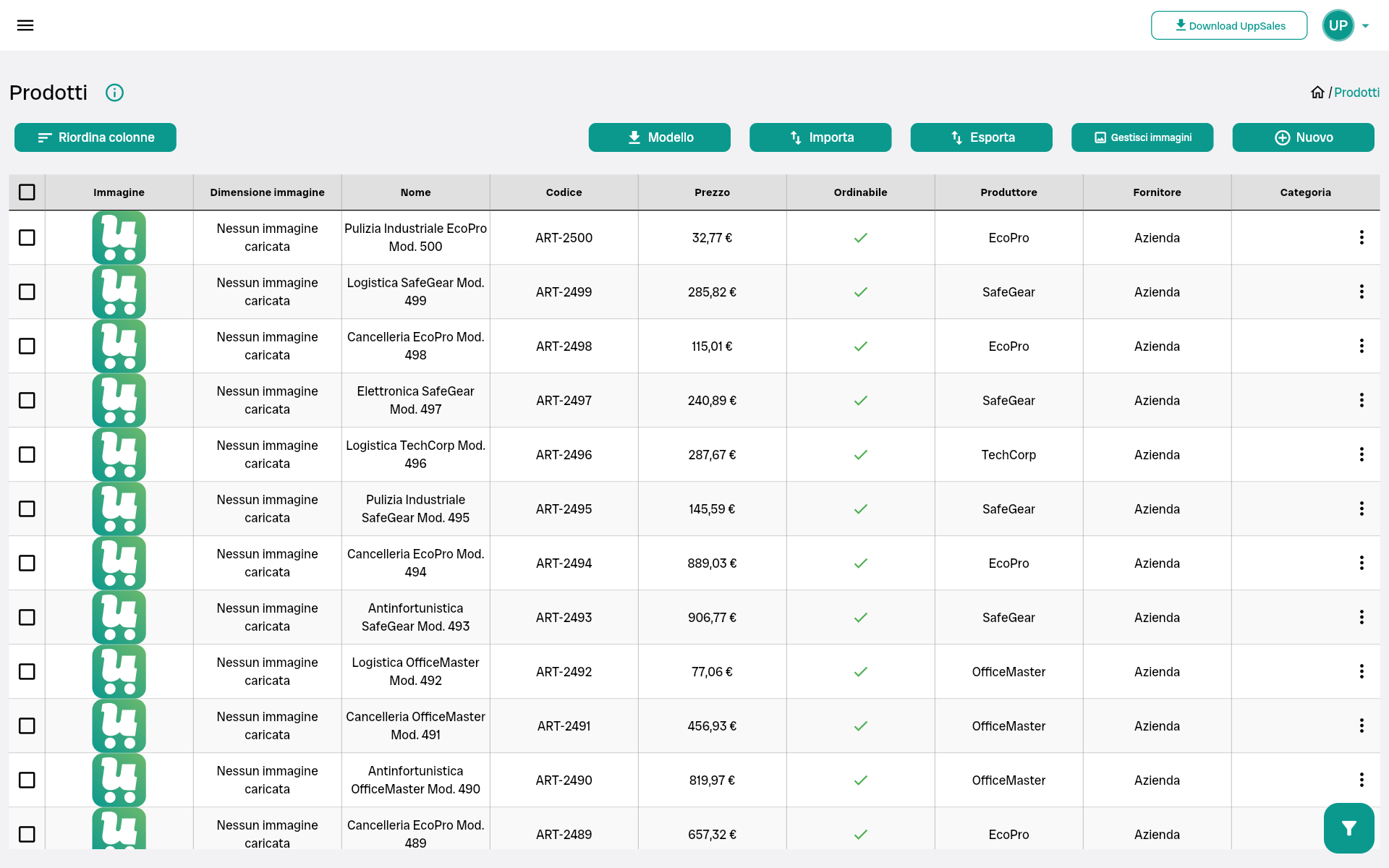
Product catalog from your Excel price list
Upload the Excel price list from any brand. The system automatically recognizes the columns and builds the digital catalog. If the file has a custom structure, you map the columns once: the system remembers the mapping for every future import.
Each product in the catalog can include:
- Code, name, description (base, extended, technical)
- Category and brand / manufacturer
- Base price, VAT rate, excise, commissions
- List discounts, minimum and pack quantities
- Unit of measure and "not orderable" flag
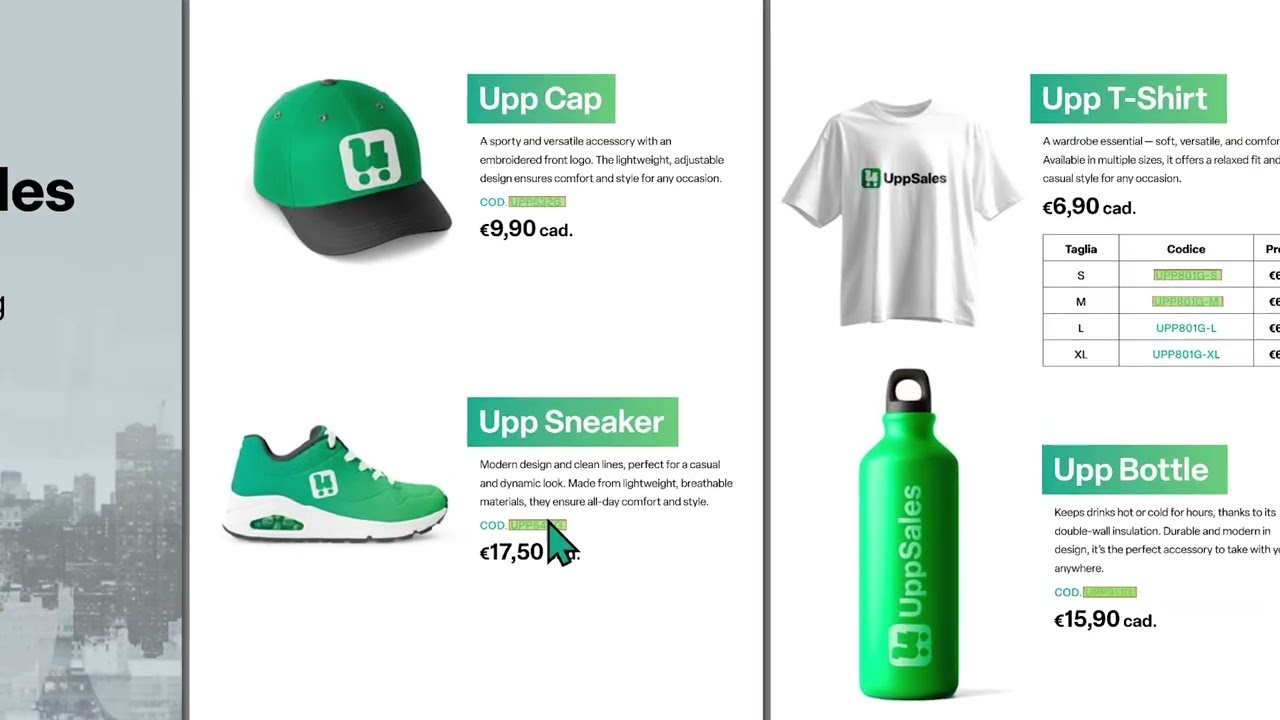
Interactive brand PDF catalog
This is the feature that sets UppSales apart from every other order-taking tool.
You upload the brand's PDF catalog into the app. The system automatically recognizes the product codes on the pages and links them to the catalog. During the visit, you tap the code on the PDF and the product drops straight into the cart — already discounted for that customer.
Without UppSales: open the PDF, find the product, copy the code, paste it into the order. For every product.
With UppSales: tap the code on the PDF. Done.
- Automatic code recognition inside the PDF
- Every brand can have one or more PDF catalogs
- Works with any brand's PDF catalog
- You can mix in-app catalog and PDF in the same order
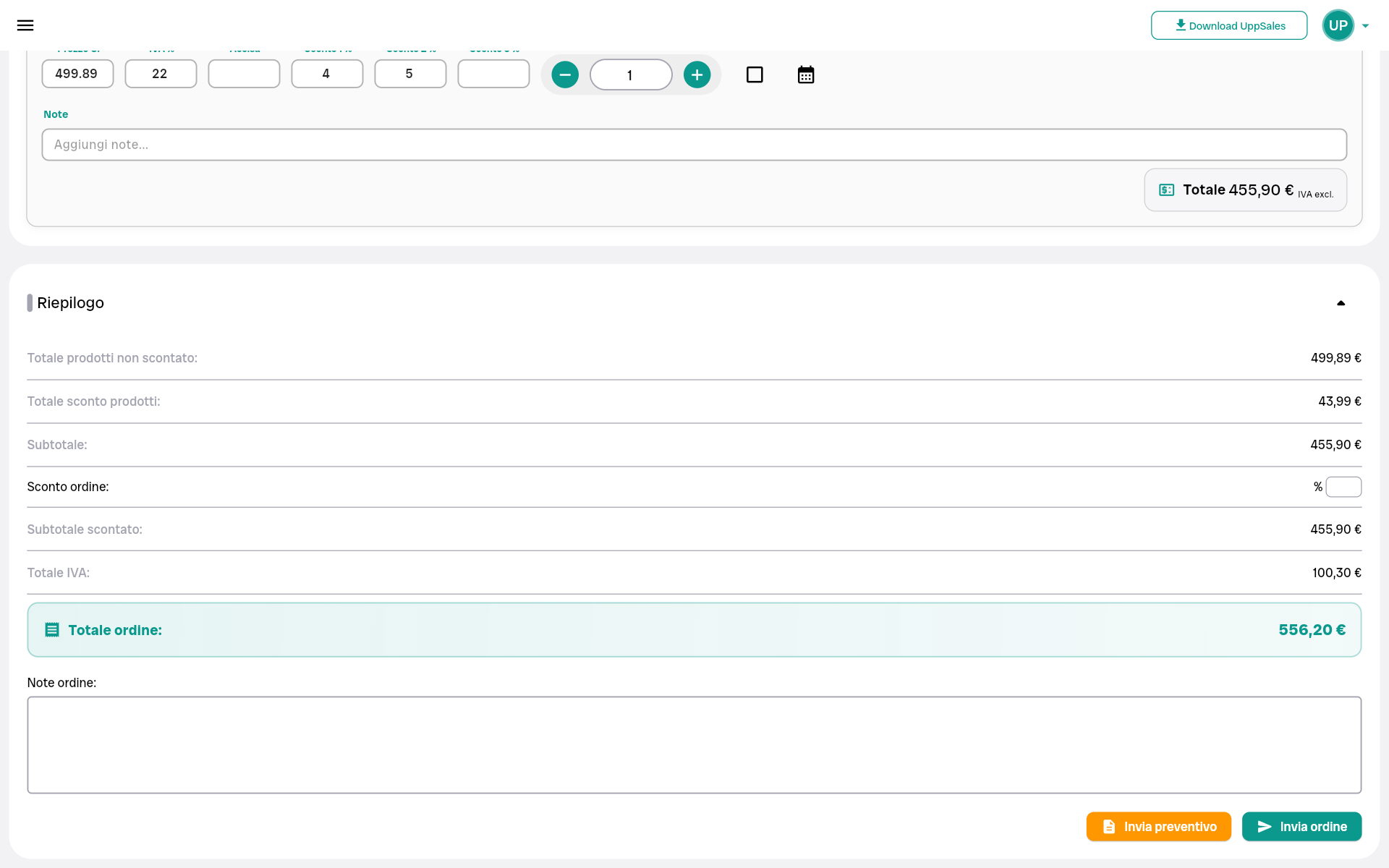
Per-customer prices and discounts — applied automatically
Pick the customer and open the order: the system instantly applies all of their commercial terms. No manual math, no risk of error.
The priority logic that determines the final price:
- Customer-specific discount on that product
- Discount on the product's category for that customer
- Brand-level discount for that customer
- Customer price list (by product, category or brand)
- Standard product discount
If needed, you can override the discount on a single order line without altering the customer's rules.
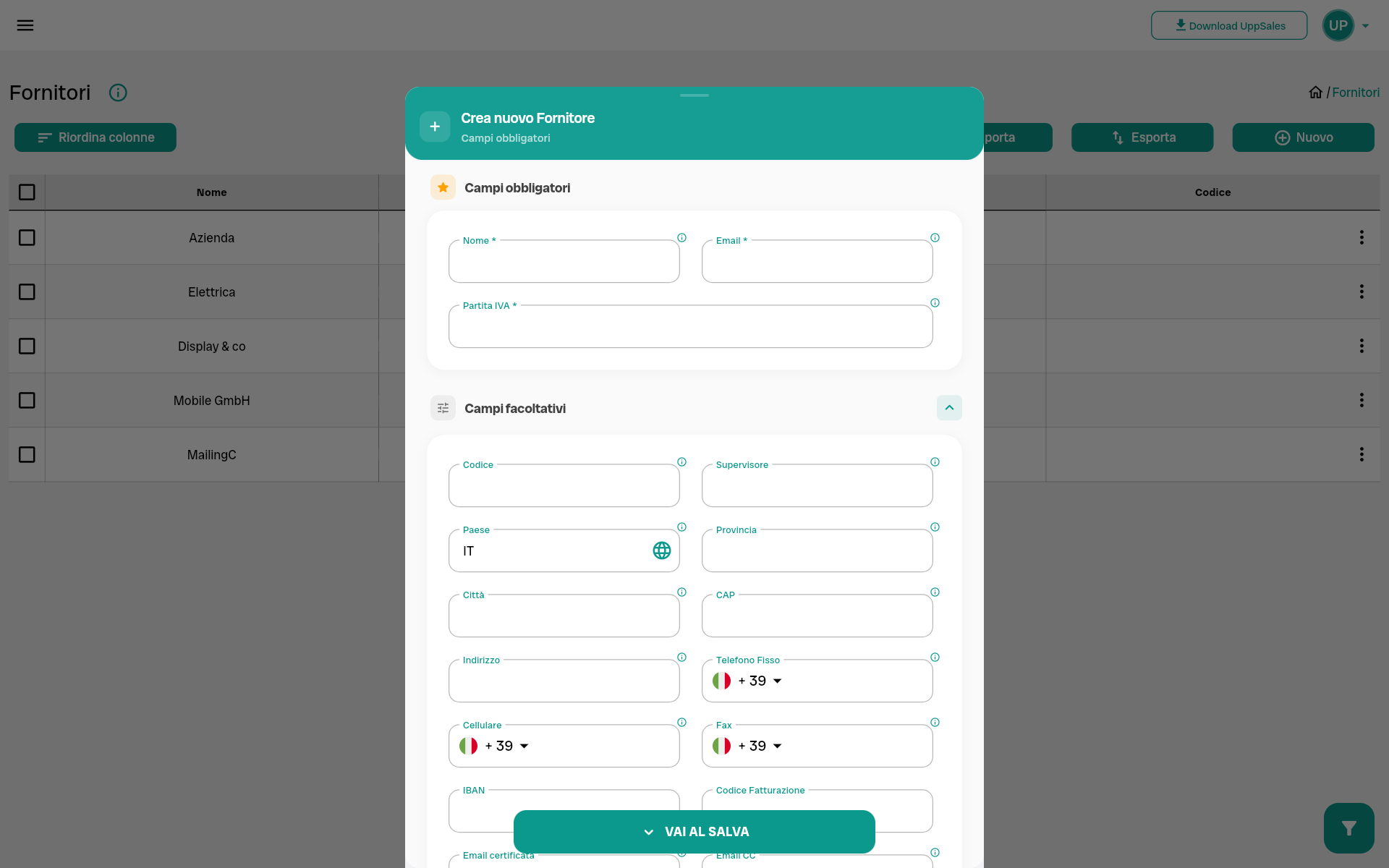
Multi-brand management baked into the core
UppSales is designed for multi-brand reps from day one. It's not an add-on: it's the core architecture of the system.
Every brand gets its own space: product price list, PDF catalog, dedicated customer discounts. There's no risk of mixing up products, prices or commercial terms across brands.
- No limit on brands or contracts
- Switch from one brand to another with a single tap during the visit
- Orders always kept separate by brand
- Customer discounts configurable for each individual brand
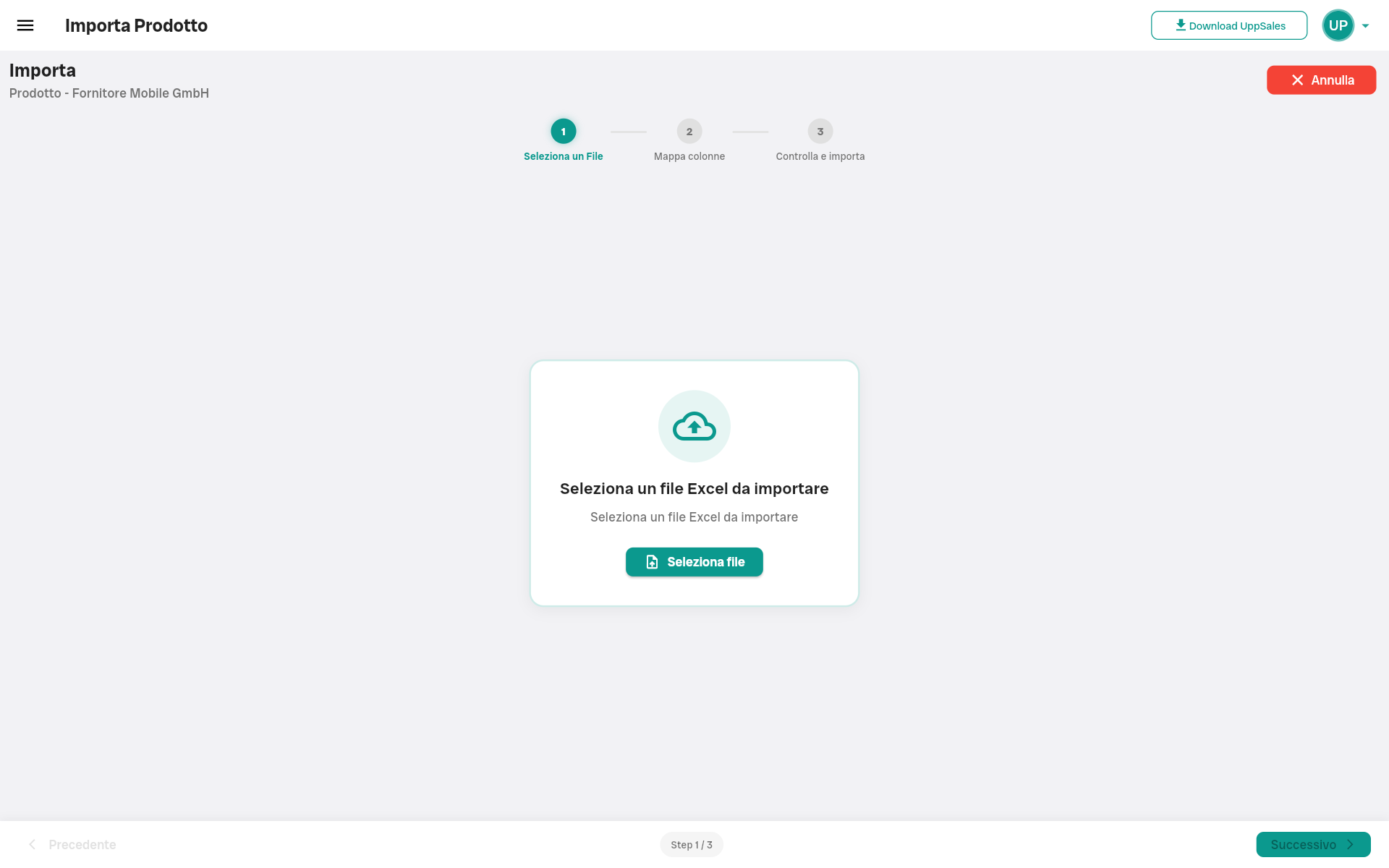
Flexible data import and management
Any entity — products, customers, price lists, brands — can be imported from an Excel file, regardless of where it came from.
- UppSales template: automatic recognition, import in seconds
- Custom Excel file: map columns once, then it's automatic
- Manual entry: add or edit any entity directly from the app
- Excel export: products, customers and order history always exportable
Your data is yours. You can export it to Excel at any time, even if you decide to switch tools.
Available on every device, one subscription
Install UppSales on smartphone, tablet and computer: everything synced in real time. Start an order on the tablet during a visit and pick it up exactly where you left off in the browser back at the office.





One subscription covers every device the rep uses. No extra cost per platform.
Before and after UppSales — what actually changes
| Task | ❌ Without UppSales | ✅ With UppSales |
|---|---|---|
| Capturing an order during a visit | Take notes on a notepad or phone, retype into Excel at home in the evening | Open the app, pick the customer, add products from the catalog, send. Before walking out the door |
| Applying the right price for that customer | Hunt for the price list file, find the right discount, calculate by hand | The system applies the correct price and discount the moment you pick the customer |
| Ordering from a digital PDF catalog | Open the PDF, find the product, copy the code, paste it into the order — for every product | Tap the code directly on the PDF page in the app — the product drops into the cart with the price already applied |
| Ordering without a digital PDF catalog | Show the paper catalog and retype the codes by hand | Show the paper catalog and add products by searching the code in the app — no retyping |
| Switching brands during a visit | Open different files and folders, risk of mixing up prices or products across brands | One tap to switch to the next brand — everything kept separate, zero confusion |
| Updating the price list | Email the new file to every rep — each one has their own version, risk of mismatches | Re-import the updated Excel: every rep sees the new prices immediately |
| Fixing an order mistake | Call the customer back, rewrite the order, resend | Almost never needed: the system applies the correct price automatically — pricing errors are nearly eliminated |